Comparing No-Code and Low-Code Platforms for MVP Development in 2026: Pros, Pricing, and Limitations
 TGRank editorial team
November 22, 2026
13 min read
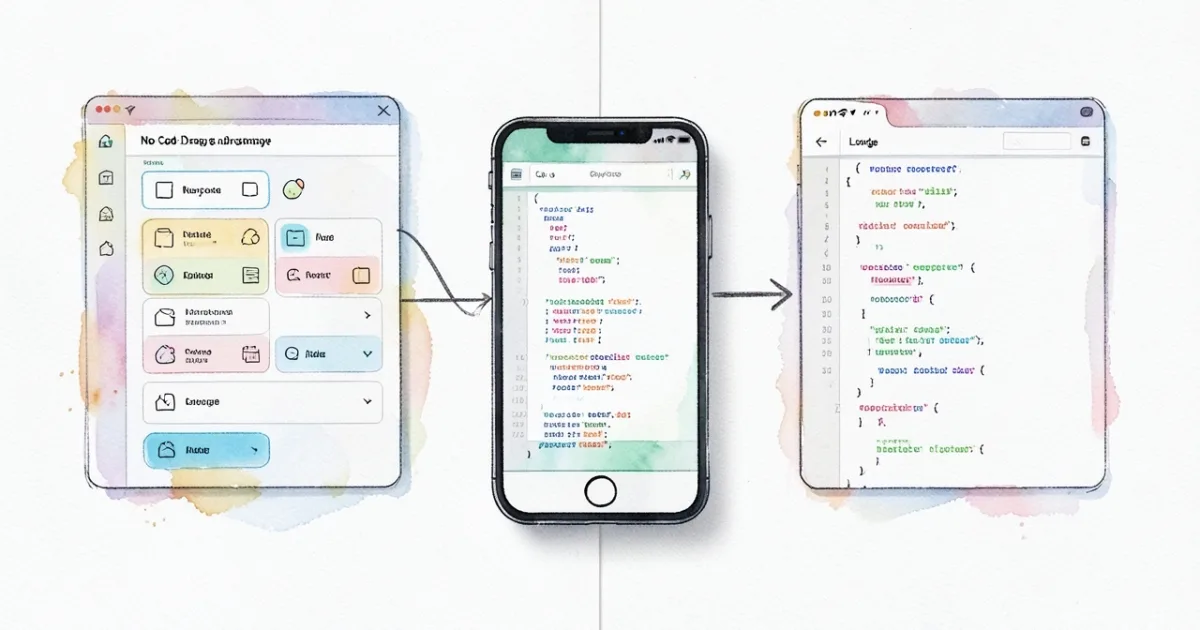
In this article, we break down the differences between no-code and low-code platforms, which ones are best for a quick MVP, how to estimate costs and scalability, and provide a practical selection checklist.
Contents
- What are no-code and low-code platforms: main differences
- Criteria for Choosing an MVP Platform in 2026
- Top 5 no-code platforms for rapid MVP development
- Top 5 low-code platforms suitable for scalable MVPs
- Practical platform selection checklist: from idea to MVP launch
- Common low-code limitations and how to bypass them in no-code
- Summary: how to choose the optimal platform for your startup
Comparing no-code and low-code platforms is key to quickly launching an MVP without unnecessary costs. In this section we’ll explore what truly sets these approaches apart and what skills are needed to jump straight into realizing an idea.
Understanding the differences helps you pick a tool that matches your startup’s budget, timelines, and scaling plans.
What are no-code and low-code platforms: main differences
Definition of no-code
No-code is a suite of builders that let you assemble an application using visual blocks, forms, and ready-made integrations without writing any code. The user works in a browser, dragging components and setting rules in a UI editor.
Definition of low-code
Low-code is a hybrid approach: most features are built visually, but you can add scripts, API functions, and custom modules when needed. It requires basic programming skills (JS, SQL) to extend capabilities.
Key differences in approach and skills
| Parameter | No-code | Low-code |
|---|---|---|
| Required technical skill level | From zero to basic UI design knowledge | Basic JavaScript, API work, database understanding |
| Typical projects | Landing pages, chatbots, simple SaaS apps, MVPs with limited logic | Business processes, ERP modules, complex mobile apps, integration with enterprise systems |
| Speed of creation | From a few hours to a week | From a week to a month (depends on customization level) |
| Flexibility and constraints | Limited to the set of ready-made blocks | More possibilities, but requires code maintenance |
| Cost | Paid plans from 0 to 15 000 ₽/month (e.g., Bubble from 1 200 ₽, Adalo from 1 500 ₽) | Plans from 10 000 ₽ to 50 000 ₽/month, often with developer licenses |
Criteria for Choosing an MVP Platform in 2026
Development Speed
- Estimate the time from idea to the first working version. No-code solutions typically provide a prototype in 2–5 days, while low-code takes 1–3 weeks.
- Check for ready-made templates and integrations (Stripe, Google Sheets, Telegram). The more pre-built components available, the faster the launch.
Cost and Pricing Plans
- Compare base plans and hidden costs (API access, data export). Calculation example: Bubble — “Personal” plan ≈ 1 200 ₽/month, includes 10 GB of traffic; Adalo — “Pro” plan ≈ 1 500 ₽/month, plus 5 000 ₽ for each additional user.
- Consider scaling costs: switching to “Business” on Bubble is 15 000 ₽, while on most low-code platforms it is 30 000 ₽.
Scalability and Integrations
- Do you need auto-scaling servers? No-code often limits the number of requests, while low-code allows you to connect cloud clusters.
- Check for custom API endpoint capabilities. If you are planning an integration with a CRM or ERP, choose a platform with OpenAPI support.
Limitations and Flexibility
- Determine which features might become a "bottleneck." For example, it is difficult to implement complex business rules in no-code without external scripts.
- Low-code allows you to add your own code but requires developer support. Assess your team's readiness for maintenance.
If your budget is limited and the goal is a prototype with basic logic, start with no-code; if the project requires complex business processes and long-term growth, invest in low-code right at the MVP stage.
For a more detailed comparison of prices and advertising reach in Telegram channels, browse the TGRank business channel catalog.
Top 5 no-code platforms for rapid MVP development
Bubble
Bubble allows you to build a fully functional web application without a single line of code, using a visual editor and an integrated database. A typical MVP is a marketplace or a booking service where custom logic and user roles are critical. The free plan covers basic hosting infrastructure, while paid plans start from 2 500 ₽ per month and include SSL, a custom domain, and over 20 GB of storage. Limitations: complex business rules require external API calls; scaling to hundreds of thousands of requests may require a transition to server-side solutions.
Notable startups that built their prototypes in Bubble include Qoins (fintech) and Tealfeed (a social platform). Their success demonstrates that no-code is suitable for quick hypothesis testing.
Adalo
Adalo is focused on mobile MVPs: a visual builder, ready-made components, and the ability to publish to the App Store and Google Play without additional code. An example project is a food delivery service with simple lists and payments via Stripe. The free tier is limited to 50 database records; the paid "Pro" plan, starting from 3 200 ₽ per month, unlocks unlimited data and custom actions.
Limitations: complex animations and integrations with enterprise ERPs require external services. The startup Vouch used Adalo for its first client loyalty program prototype.
Webflow
Webflow combines the capabilities of a visual website builder with a CMS and e-commerce. It is ideal for MVPs in the form of promotional landing pages, portfolio sites, or small online stores. The "Basic" plan costs 1 800 ₽ per month, "CMS" is 3 600 ₽, and "Business" starts from 7 200 ₽; each includes hosting, SSL, and code export.
The main limitation is the lack of a full back-end; for dynamic functions, you have to connect Zapier or Make. The service MadeByShape created its first portfolio site in Webflow in two weeks.
Glide
Glide turns Google Sheets into mobile and web apps in minutes. It is suitable for MVPs such as product catalogs, internal directories, or simple CRMs. The free plan supports up to 500 rows; the paid "Pro" plan, starting from 2 500 ₽ per month, increases the limit to 10 000 rows and adds custom domains.
Limitations: logic is restricted to Google formulas and Glide actions; complex calculations require external scripts. The company TravelBuddy launched a trip planner prototype in Glide, attracting 1 200 early users.
Thunkable
Thunkable is a cross-platform mobile app builder with block-based logic support. It is used for MVPs such as chatbots, prototype games, and simple subscription services. The free tier allows you to publish apps with ads; the premium plan, starting from 3 500 ₽ per month, removes ads and unlocks native code export.
Limitations: performance drops with large volumes of data, and integration with external databases requires API keys. The app FitTrack first built its activity tracker in Thunkable, which attracted 800 testers.
If you need a quick launch and have a limited budget, choose a no-code platform that already has built-in integrations with the services you plan to use.
Top 5 low-code platforms suitable for scalable MVPs
OutSystems
OutSystems offers a full-stack architecture: visual modeling, code generation, and a ready-to-use cloud infrastructure. It is suitable for SaaS MVPs that require high performance and integration with ERP/CRM systems. Pricing starts at 30 000 ₽ per month for the "Standard" plan, which includes 10,000 active users and basic support.
Limitations: steep learning curve for non-technical teams; the license is expensive, making it justifiable only when you have scaling plans. Large companies, such as Schneider Electric, use OutSystems for internal portals.
Mendix
Mendix focuses on the rapid development of business applications with the ability to add Java code. The "Free" plan allows you to build small prototypes, while the "Enterprise" plan, starting at 35 000 ₽ per month, covers 50,000 user sessions and SAP integration.
Limitations: migrating from the free to the paid version requires data migration; supporting Java code implies the need for a developer. The platform was used by Philips to create a mobile solution for equipment monitoring.
Microsoft Power Apps
Power Apps is integrated into the Microsoft 365 and Azure ecosystems, making it easy to connect to SharePoint, Dynamics 365, and Azure SQL. The "Per App" plan starts from 1 200 ₽ per month per app, and "Per User" starts from 3 600 ₽. It is ideal for enterprise MVPs where security and compliance are important.
Limitations: a limited set of UI components compared to pure code; complex scenarios require Power Automate. Heathrow Airport created an employee access management app in Power Apps.
AppGyver
AppGyver (now part of SAP) offers a visual builder with the ability to add JavaScript modules. The platform is free for up to 100,000 requests per month; beyond that, pricing starts at 25 000 ₽. It supports publishing to the web and mobile app stores.
Limitations: lack of native UI elements for the latest iOS/Android versions; scaling depends on the SAP Cloud infrastructure. The startup EcoTrack built an MVP for tracking carbon emissions in AppGyver.
Betty Blocks
Betty Blocks focuses on rapidly building web applications with the ability to inject custom JavaScript and Python code. The "Starter" plan starts at 30 000 ₽ per month and covers up to 5,000 active users and REST-API integration.
Limitations: limited set of ready-made templates; setting up access roles requires time. Rijkswaterstaat used Betty Blocks to create a water resource monitoring portal.
To evaluate advertising opportunities for your product, check out the catalog of Telegram channels in the "Business and Startups" category — according to TGRank, it features 125 channels with a total audience of 7,589,330 subscribers and a median price per sponsored post of 6 500 ₽.
Practical platform selection checklist: from idea to MVP launch
Step 1 — Define the task. Determine your target audience, key features, and success metric (for example, 500 sign-ups in the first month). The clearer the hypothesis, the easier it is to choose a platform.
Step 2 — Assess customization requirements. Make a list of "must-have" (authorization, payment integration) and "nice-to-have" features (multi-language, analytics). If your "must-haves" require custom code, lean towards low-code; otherwise, consider no-code.
Step 3 — Compare pricing plans. Compare the cost per active user, API request volumes, and the availability of a free tier. Keep in mind that in 2026, many providers are shifting to "pay-as-you-go" models.
Step 4 — Test prototype. Sign up for a 7-day trial, gather feedback from 5-10 potential clients, and measure the time it takes to get to a working version.
Step 5 — Check scalability. Run a load test (for example, 1,000 concurrent requests) and ensure your chosen plan can handle growth up to 10,000 users without degradation.
| Criterion | No-code (example: Bubble) | Low-code (example: OutSystems) |
|---|---|---|
| Time to MVP | 2-4 weeks (visual building + pre-made templates) | 3-6 weeks (greater flexibility, but basic coding required) |
| Starting plan cost | from 2 500 ₽/month (up to 1,000 active users) | from 30 000 ₽/month (up to 5,000 active users) |
| Code access | Export HTML/JS (limited) | Full access to Java/ .NET code |
| Integrations | 200+ connectors, Zapier, API connectors | Deep integrations with ERP, CRM, cloud services |
| Scalability | Suitable for up to 10,000 active users with horizontal sharding | Supports enterprise-grade loads (millions of requests) |
Common low-code limitations and how to bypass them in no-code
Code access limitations
Low-code platforms often hide part of the business logic behind visual blocks. This complicates rapid refactoring and the implementation of custom algorithms. In no-code services, such as Bubble, you can export JavaScript modules or connect external microservices via an API connector, thereby gaining the necessary level of control.
Provider dependency
As your project grows, you risk hitting limits on the number of requests or storage volume. The solution is to use a hybrid approach: implement critical functions in a separate serverless environment (e.g., AWS Lambda) and call them from your no-code application. This reduces dependence on platform limits.
Performance issues
In low-code, there is often latency due to code generation "on the fly." In Bubble and Adalo, you can enable "static rendering" mode and offload heavy queries to caching services (Redis, Cloudflare Workers). This speeds up response times to 200 ms even with 5,000 concurrent users.
Solutions and workarounds
Exporting code from Bubble allows you to host the application on your own servers, granting you complete freedom to scale. For CRM integrations where a low-code platform requires a license, use Zapier or Integromat connectors, which work without additional costs.
If your MVP requires only basic features and quick market testing, start with no-code, and if necessary, "move out" to low-code while preserving the data already collected and the user experience.
Summary: how to choose the optimal platform for your startup
Summing up, keep three key criteria in mind: budget, time-to-market, and scaling prospects. With a micro-budget (up to 50 000 ₽), it's better to start with no-code, where most services offer a free plan and paid tiers starting from 500 ₽ per month. Such solutions allow you to build a prototype in 2-3 weeks and gather your first 1-2 thousand users without hiring developers.
If the goal is to hit the market in 1-2 weeks and test demand, choose a platform with ready-made templates and built-in integrations (Bubble, Adalo, Webflow). They provide drag-and-drop builders, and connecting to Zapier or Integromat requires no additional licenses, which lowers the cost of using third-party services.
For long-term scalability, look towards low-code, where you have the option to export code or connect your own microservices. Platforms like OutSystems, Mendix, and Microsoft Power Apps allow you to transition from visual building to a full CI/CD pipeline, which is critical after 10,000-20,000 active users.
Practical checklist
- Determine target user volume (up to 5,000 – no-code, from 5,000 – low-code).
- Compare prices: according to TGRank, the average Bubble plan is 1 200 ₽/month, while the basic OutSystems plan is 12 000 ₽/month.
- Check for necessary integrations (CRM, payments, analytics) without extra costs.
- Evaluate the possibility of code export or migrating to your own servers.
- Test response speed: static rendering + cache (Redis, Cloudflare Workers) should maintain ≤200 ms with 5,000 concurrent requests.
If after the first round you find that more flexible business logic or integration with corporate ERPs is required, migrate the project to low-code using the data already collected via API export.
Do not try to "squeeze" features requiring complex transactions out of no-code – it is better to choose low-code right away, otherwise, you will need an expensive refactoring.
For startups focused on advertising campaigns, it is useful to know that the TGRank catalog Telegram channels in the 'Business and Startups' category includes 125 channels with a total audience of 7 589 330 subscribers and a median engagement rate of 11.8%. With an ad post price of 6 500 ₽ and a CPM = 331 ₽, by investing 30 000 ₽, you will get approximately 90 000 views – enough reach to test a hypothesis.
Summary in numbers:
- Micro-budget ≤ 50 000 ₽ → no-code (Bubble, Adalo).
- Time-to-market ≤ 2 weeks → ready-made templates and integrations.
- Scale > 10 000 users → low-code with code export.
- Optimal cost of acquiring 1 000 ad views ≈ 331 ₽ (according to TGRank data).
Choose a platform that matches your product's current phase, rather than one that is "ideal" for all scenarios. This will save time and money and help you avoid technical debt as early as the MVP stage.
Telegram channels on the topic
Picked by the TGRank team: channels with a real audience — to read and to advertise in
 ✓
Бизнес‑люди объединяются в этом канале, чтобы делиться реальными кейсами из разных отраслей. Здесь публикуются интервью с предпринимателями, разборы ошибок и практически…
 ✓
«Своё Дело | Бизнес | Финансы» предлагает практические советы для предпринимателей и инвесторов. В публикациях разбираются стратегии роста, налогообложение, управление д…
 ✓
Хотите понять, какие правила действительно работают в современном предпринимательском мире? Канал «Правила Бизнеса» собирает лучшие практики, юридические лайфхаки и стра…
 ✓
Бизнес Личность – канал для тех, кто хочет раскрыть свой предпринимательский потенциал и построить бренд. Каждый выпуск содержит интервью с успешными лидерами, разбор их…

Беспощадный ритейл и бизнес — канал для предпринимателей, желающих выжать максимум из розничных продаж. Здесь публикуются стратегии ценообразования, кейсы по оптимизации…

Если интересует рынок розничной торговли в Центральной Азии, «Узбекский Ритейл» станет вашим источником актуальной аналитики. Канал собирает новости о новых форматах маг…