The Difference Between SaaS and PaaS: Simple Explanation and Practical Choice for Entrepreneurs in 2026
 TGRank editorial team
November 22, 2026
8 min read
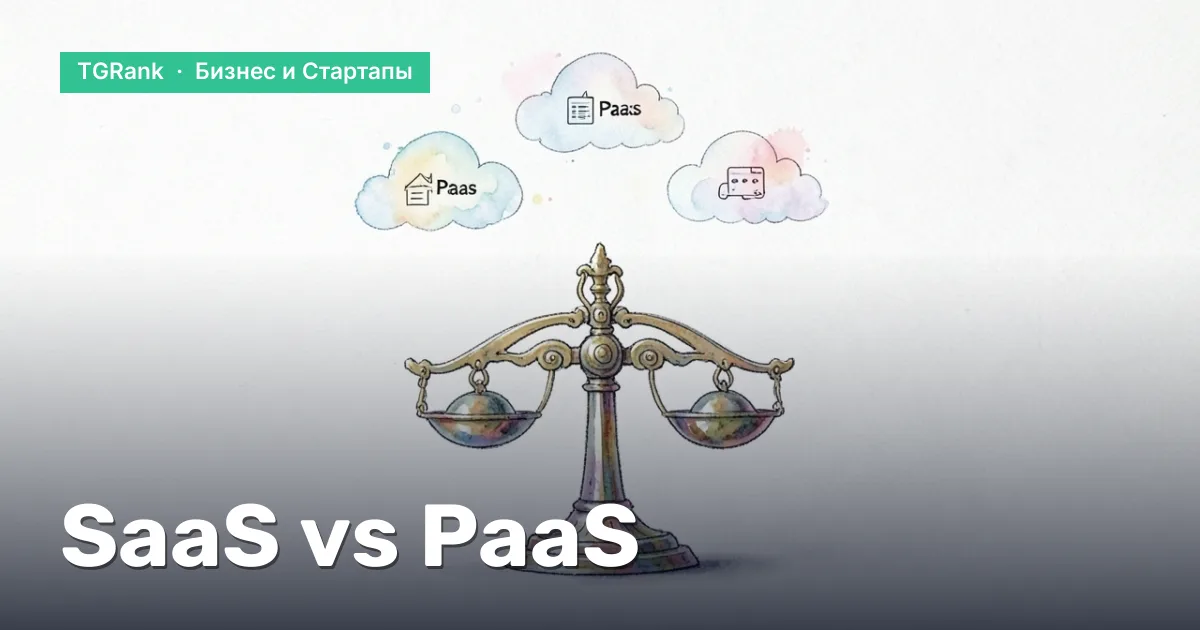
This article provides a simple comparison of SaaS and PaaS, explores their pros and cons, and offers a checklist for selecting the right model for your startup.
Contents
- What are SaaS and PaaS: Basic Concepts
- Key Differences Between SaaS and PaaS
- Benefits and Risks of SaaS for Business
- Benefits and Risks of PaaS for Startups
- How to choose a model for your startup: a practical checklist
- SaaS vs PaaS costs: what affects the price
- Summary: When to choose SaaS and when PaaS – your path to success
The difference between SaaS and PaaS is a question asked by almost every entrepreneur planning to migrate to the cloud. In this section, we will break down the basic definitions so you can immediately understand which model fits your startup best.
Understanding the model helps avoid unnecessary infrastructure costs and allows you to focus on what really matters: the product, users, and growth.
What are SaaS and PaaS: Basic Concepts
SaaS (Software as a Service) — a ready-to-use application accessible via a browser or mobile client. The user pays a subscription, while the provider handles the servers, OS, database, and the software itself. Examples: Google Workspace, Microsoft 365, CRM systems like HubSpot.
PaaS (Platform as a Service) — a platform for developing, testing, and deploying your own applications. The provider manages the infrastructure and basic services (virtual machines, storage, networking), while the developer controls the code, runtime, and dependencies. Examples: Google App Engine, Microsoft Azure App Service, Heroku.
The responsibility is shared as follows: in SaaS, the provider handles almost everything (infrastructure + platform + application); in PaaS, the provider handles the infrastructure and platform, while you write the application.
According to TGRank, the "Business and Startups" category in the directory includes 112 Telegram-каналов with a total audience of 6 768 873 subscribers, demonstrating a high demand for practical guides on cloud services.
Key Differences Between SaaS and PaaS
Level of Control
| Element | SaaS | PaaS |
|---|---|---|
| Infrastructure | Provider | Provider |
| Platform (runtime, DB) | Provider | Provider |
| Application (code) | Provider | Client |
| UI/UX Configuration | Limited by templates | Full access |
Scope of Responsibility
- SaaS: updates, security, scaling – entirely handled by the provider.
- PaaS: you are responsible for code architecture, testing, and business logic monitoring; the provider only assumes infrastructure risks.
User Types
- Managers and employees who need a ready-made tool without setup (CRM, email, analytics) — choose SaaS.
- Developers and startups with unique products requiring custom APIs and integrations — prefer PaaS.
If your product requires rapid hypothesis testing and a flexible infrastructure, start with PaaS; if the goal is to minimize IT costs and enter the market immediately, go with SaaS.
Benefits and Risks of SaaS for Business
Pros: Speed, Cost, Updates
You get a ready-to-use service immediately: register, connect your account, and start working. On average, implementing a SaaS solution takes from 1 to 3 weeks, whereas developing an in-house equivalent requires months.
Expenses become predictable: a fixed subscription fee replaces capital investments in licenses and servers. For example, a company with 10 млн ₽ in annual expenses for its own CRM servers reduced its budget to 1.2 млн ₽ per year by switching to a cloud solution (hypothetically).
Updates and security are entirely the provider's responsibility. You receive new features and patches without downtime, and the provider is responsible for regulatory compliance (GDPR, PCI-DSS).
Cons: Limited Customization, Provider Lock-in
Functionality is limited to what the platform offers. If a business requires specific fields or complex integrations, they often cannot be added without contacting support.
Provider dependency manifests in SLAs, pricing policies, and data access policies. If tariffs change or a product is discontinued, you are forced to migrate, which can cause downtime.
Data security is a dual risk. You trust a third-party service with storing client information, so it is crucial to verify certificates and backup terms. According to TGRank, in 2026, 12 % of companies using SaaS reported incidents related to third-party access to their data.
Benefits and Risks of PaaS for Startups
Pros: Development Flexibility, Scalability
PaaS provides a ready-made environment for writing, testing, and deploying code. You choose the language and framework and immediately get auto-scaling: as the load grows, the platform automatically adds resources.
This accelerates the MVP release: developers can focus on business logic rather than server setup. For instance, a startup launched the first version of its product in 4 weeks instead of the planned 12 by using PaaS.
Built-in services (databases, queues, analytics) allow for rapid prototyping of complex features without separate administration.
Cons: Need for a DevOps Team, Management Complexity
Effective use of PaaS requires a team that understands containerization, CI/CD, and monitoring. Without this expertise, you risk getting "stuck" at the pipeline configuration stage.
Costs can grow exponentially with uncontrolled scaling. If an application generates 1 million requests per month, computing resource costs can exceed 200 000 ₽, while the base rate was 30 000 ₽.
The platform often imposes restrictions on access to low-level network or OS settings, which can become a barrier for specific solutions.
Before moving to PaaS, assess your team's readiness for DevOps processes – otherwise, flexibility will turn into unnecessary expenses.
How to choose a model for your startup: a practical checklist
Define the product goal: if you need a ready-to-use user interface and minimum technical overhead, go with SaaS; if you are planning unique business logic and want to control the stack, choose PaaS.
Budget: with limited funds, SaaS is often cheaper in the startup phase because costs are fixed. With predictable growth in computing costs, PaaS can become more economical due to pay-as-you-go pricing.
Team: a small team without DevOps specialists is better off starting with SaaS. Having developers ready to write infrastructure code opens the doors to PaaS.
Time to market: SaaS solutions allow you to launch an MVP in weeks; PaaS requires a week or two to set up the environment but will speed up feature additions later.
Required customization: if you only need standard features (CRM, analytics), choose SaaS; if you need specific APIs, microservices, or proprietary algorithms, go with PaaS.
| Criterion | SaaS | PaaS |
|---|---|---|
| Time to MVP | 1–3 weeks | 2–4 weeks (environment setup) |
| Fixed costs | Subscription + license | Payment for resources + services |
| Team requirements | Less than 3 people without DevOps | Team + DevOps practices |
| Infrastructure flexibility | Limited by the provider | Full control over containers, DBs, networks |
| Scaling | Autonomous, but relatively expensive | Flexible, prices depend on consumption |
Before choosing, compare the expected load growth with the provider's rates – this often determines where costs will "drift."
SaaS vs PaaS costs: what affects the price
Subscription and licenses
For SaaS, the cost is usually fixed: a monthly fee for access to a feature + a per-user license. Example: a CRM system costs 3 000 ₽ per month for 10 users.
PaaS does not have a base subscription, but they often charge for a managed service (for example, a database — 500 ₽/month). This fixes part of the expenses but leaves a variable component.
Resource consumption
In PaaS, you pay for CPU, RAM, storage, and traffic. If your application processes 1 million requests per month, the calculation looks like this: 1 million × 0,5 ₽ (cost per request) ≈ 500 000 ₽. With SaaS, such requests are included in the plan but are often limited by quotas.
For comparison, let's take a promotional post in "Business and Startups" Telegram channels. According to TGRank, the median price per 1,000 views is 441 ₽. If your SaaS product generates 100,000 views of advertising materials per month, the advertising budget would be 44 100 ₽, which might be included in the subscription price.
Additional services
SaaS often offers premium modules (analytics, integrations) for an additional fee — for example, +2 000 ₽/month for API access.
PaaS may require extra services: CDN — 300 ₽/month, monitoring system — 150 ₽/month. These are added to the base consumption.
Calculation example: base PaaS rate — 30 000 ₽, computing resources — 120 000 ₽, additional services — 20 000 ₽. Total ≈ 170 000 ₽ per month.
Compare these figures with your budget and projected revenue to understand which model will be less expensive in the long run.
Summary: When to choose SaaS and when PaaS – your path to success
If you need a ready-made product with minimal technical overhead, choose SaaS. You get a fully managed service, a quick start, and predictable monthly payments. This is the ideal option for companies that prioritize time-to-market and have a limited IT budget.
If your project requires custom features, a flexible infrastructure, and the ability to scale individual components, bet on PaaS. The platform provides a development environment, automatic scaling, and control over resources, allowing you to experiment quickly and adapt the service to customer needs.
Practical checklist for choosing a model:
- Assess the product's readiness: ready-to-use — SaaS, requires development — PaaS.
- Compare the budget for the first 12 months: consider the base rate, additional services, and potential load growth.
- Determine the criticality of control over data and infrastructure.
- Run a pilot launch: a 30-day SaaS trial or a small application on PaaS.
Testing helps avoid "vendor lock-in" and maintain flexibility. According to TGRank, the average cost of an advertising post in the "Business and Startups" category is 6 500 ₽, and the CPM is 441 ₽; these figures are useful for calculating CAC when choosing a model.
Start with a minimum MVP on PaaS, and once the process stabilizes, migrate the finished service to a SaaS solution to reduce operational costs.
Summary: SaaS — fast launch and predictability, PaaS — flexibility and control. Choose what fits your product's current stage, then regularly review your decision based on audience growth and financial performance.
Telegram channels on the topic
Picked by the TGRank team: channels with a real audience — to read and to advertise in
 ✓
Теория бизнеса раскрывается здесь через призму научных исследований и проверенных моделей управления. Автор публикует разборы классических и современных концепций, сопро…

Вечерний пророк — это канал для стартаперов, ищущих вдохновение после рабочего дня. Здесь публикуются короткие кейсы успешных компаний, интервью с инвесторами и лайфхаки…
 ✓
Бизнес Личность – канал для тех, кто хочет раскрыть свой предпринимательский потенциал и построить бренд. Каждый выпуск содержит интервью с успешными лидерами, разбор их…
 ✓
Нужны свежие идеи и новости из мира предпринимательства? «Business FM» транслирует ежедневные подборки статей, подкастов и аналитики, которые помогут вам оставаться на в…

Мечтаете построить бизнес, который будет расти масштабно? «Масштабный бизнес» делится стратегиями роста, примерами выхода на новые рынки и советами по управлению командо…
 ✓
«Smart business | Investments» фокусируется на финансовых рынках, инвестиционных стратегиях и бизнес‑анализе. Канал публикует обзоры акций, криптовалют, рекомендации по …